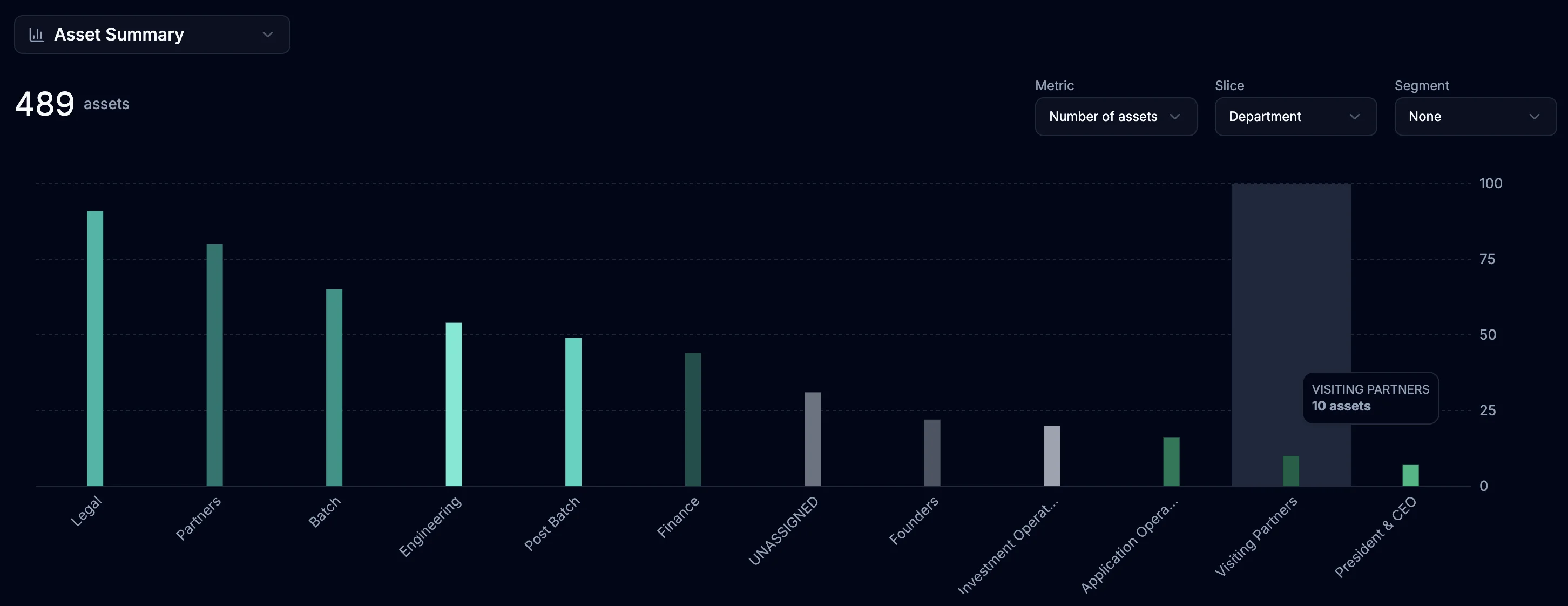
We’ve launched advanced reporting capabilities to help you get more from your asset data.
With powerful tools to slice, segment, and analyze your inventory, you can uncover trends,
optimize procurement and lifecycle decisions, and see exactly how costs are distributed for
smarter budget planning. Plus, you can generate executive-ready reports with flexible
analysis that adapts to your needs. It’s now available for all June users via
the Insights tab in the navigation bar.
Comprehensive Metrics
Count & Percentages: See asset distribution across categories
Financial Analytics: Track total cost, average cost, and book values
Age Analysis: Monitor average asset age to inform refresh planning
Cost Per Employee: Understand hardware investment by team member
Flexible Data Slicing
Primary Dimensions: Group assets by Status, Product, Department, Platform, Asset Age, Warranty Status, and more
Secondary Segmentation: Further break down each group by additional dimensions for deeper analysis
Smart Grouping Examples
View all laptops by department, segmented by warranty status
Analyze mobile devices by platform, segmented by refresh status
Track asset costs by location, segmented by age bands
Monitor deployment status by product type, segmented by condition